Your ERPNext projects live in Microsoft Teams — automatically.
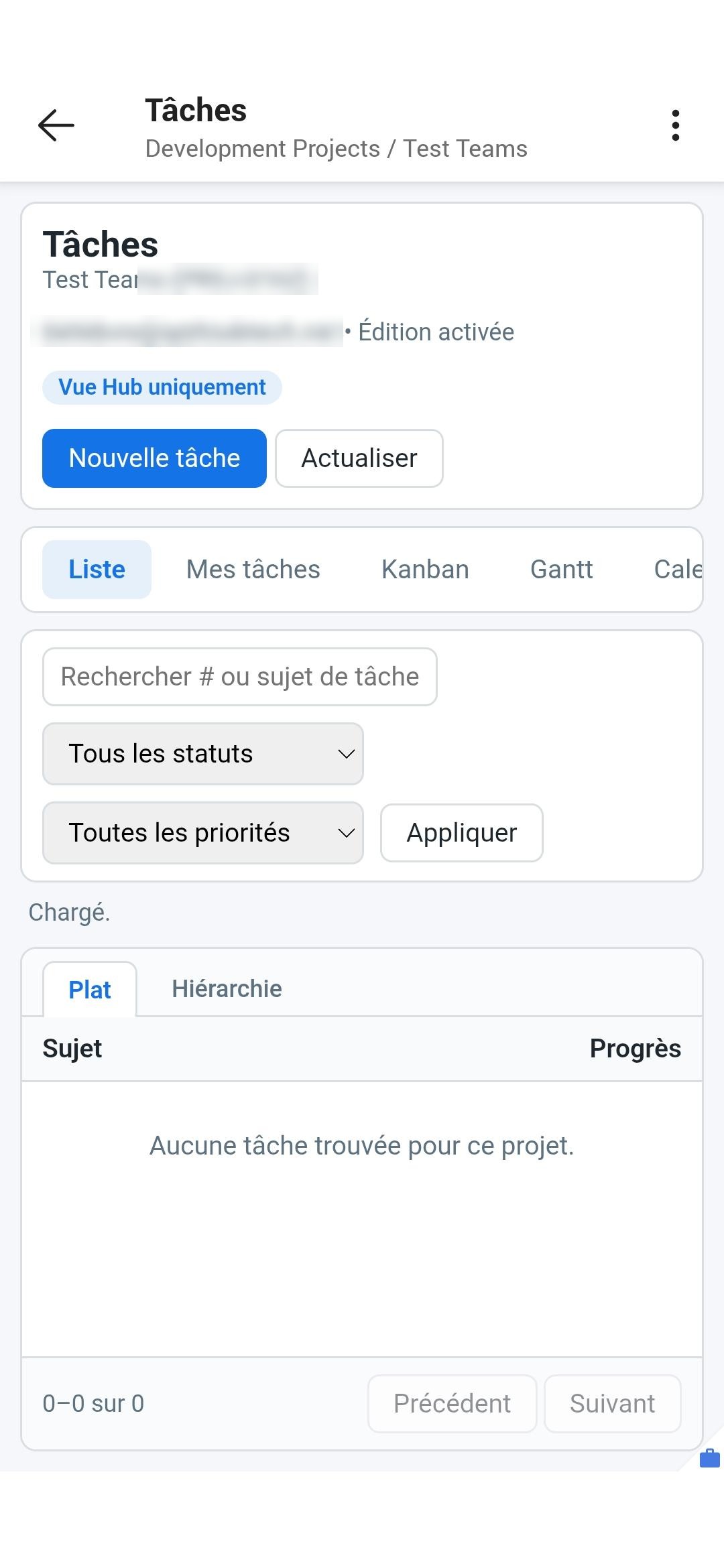
Our connector links ERPNext to Microsoft 365: a Teams team, Planner tasks and SharePoint files per project. And above all, custom tabs in Teams — real interfaces served by your ERP, which your teams use without ever opening it.
Your management system on one side, your collaboration on the other.
ERPNext knows everything about your projects, tasks and deadlines. But your teams chat in Teams, store their files in SharePoint and track their tasks in Planner. The result: double entry, scattered files, and project tracking that never quite reflects the reality of the management system.
A custom layer between your teams and the ERP.
Our connector doesn't just move data around: we add custom tabs under each Teams channel. These tabs display web pages generated and served by your Frappe instance — a focused form, a dashboard, an approval view. Your employees act on the ERP without ever opening it, and customization has virtually no limits.
- Interfaces tailored by role, in the tool your teams already use all day long.
- A per-project view in its channel, and a consolidated view in the General channel.
- An “Open in ERPNext” button always within reach for those who want to go further.
- These are Frappe pages: the interface you imagine, we build it.
Publications · Partagé · Tasks · Notes
▸ Material request
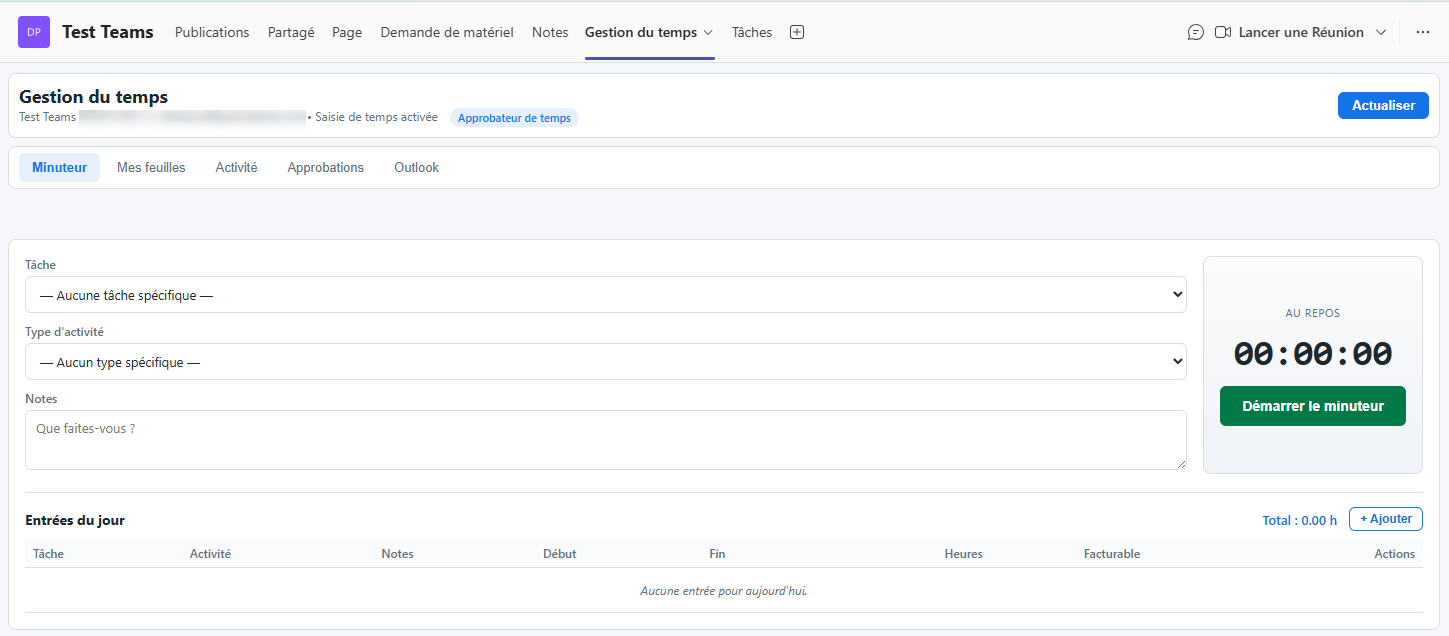
▸ Time tracking
▸ Orders
▸ = tabs served by your Frappe
Tabs we have already delivered.
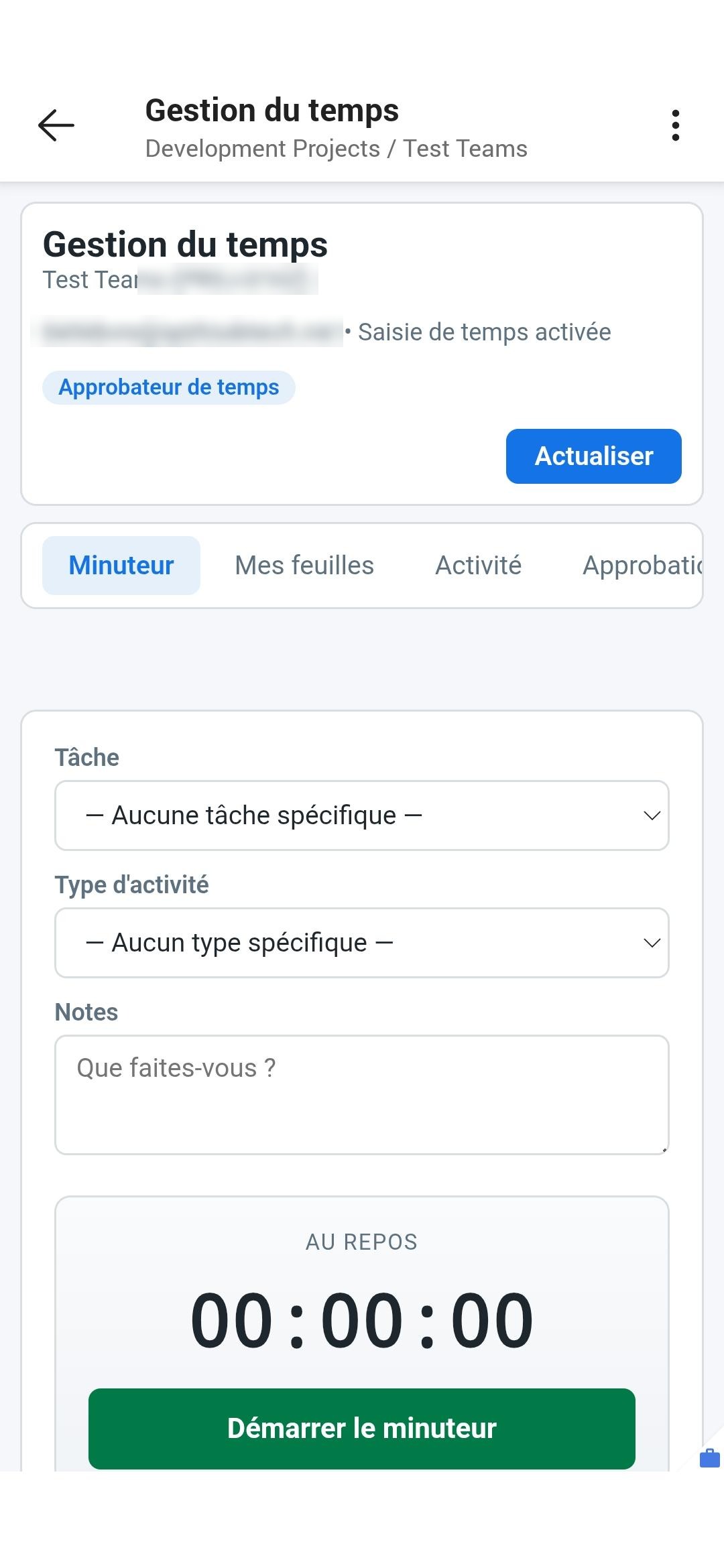
The same tabs, in your teams' pockets.
The Teams mobile app gives field workers the same access as at the office — with no ERP app to install.
Provisioned document folders
When the project is created, a folder tree is provisioned automatically with permissions already applied. Everyone accesses the right documents, nothing more.
Material requests
Create and track material purchase requests from the project channel; a consolidated view in the General channel brings all projects together. Clear statuses, direct opening in ERPNext.
Integrated time tracking
Timer, timesheets, activities and approvals — right inside Teams. Your people enter their time where they work; approvers validate without opening the ERP.
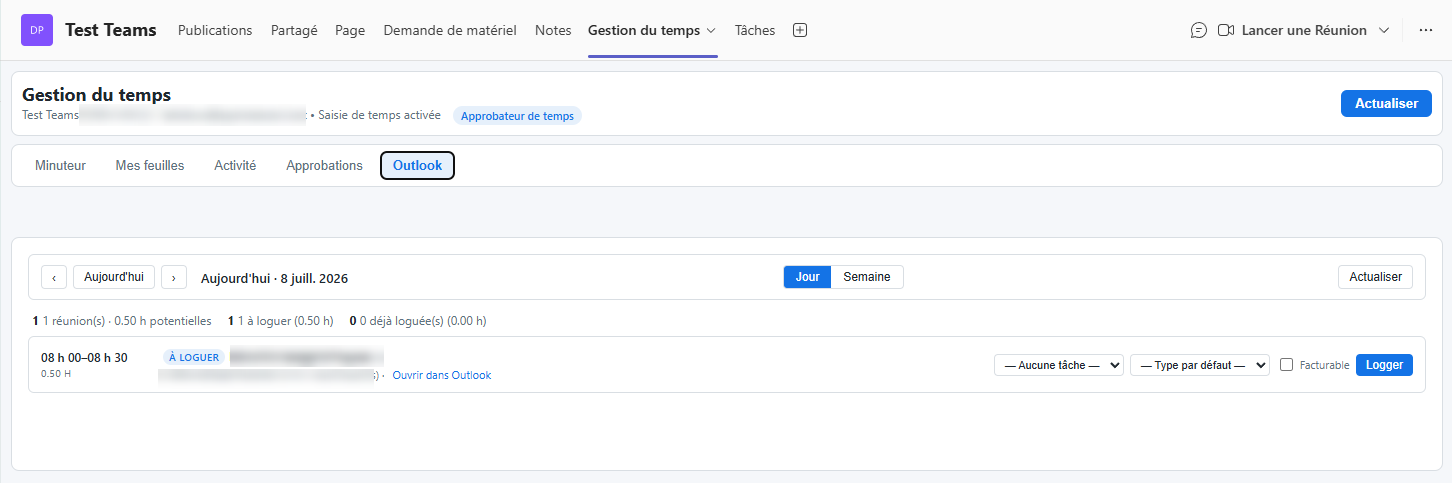
Meetings → timesheets
The day's Outlook meetings appear ready to “log”: turn the time actually spent into a timesheet entry, billable or not, in one click.
Purchase orders
Create and track purchase orders per project — search, filter by status, totals. A centralized view in the General channel gives the overview across all projects.
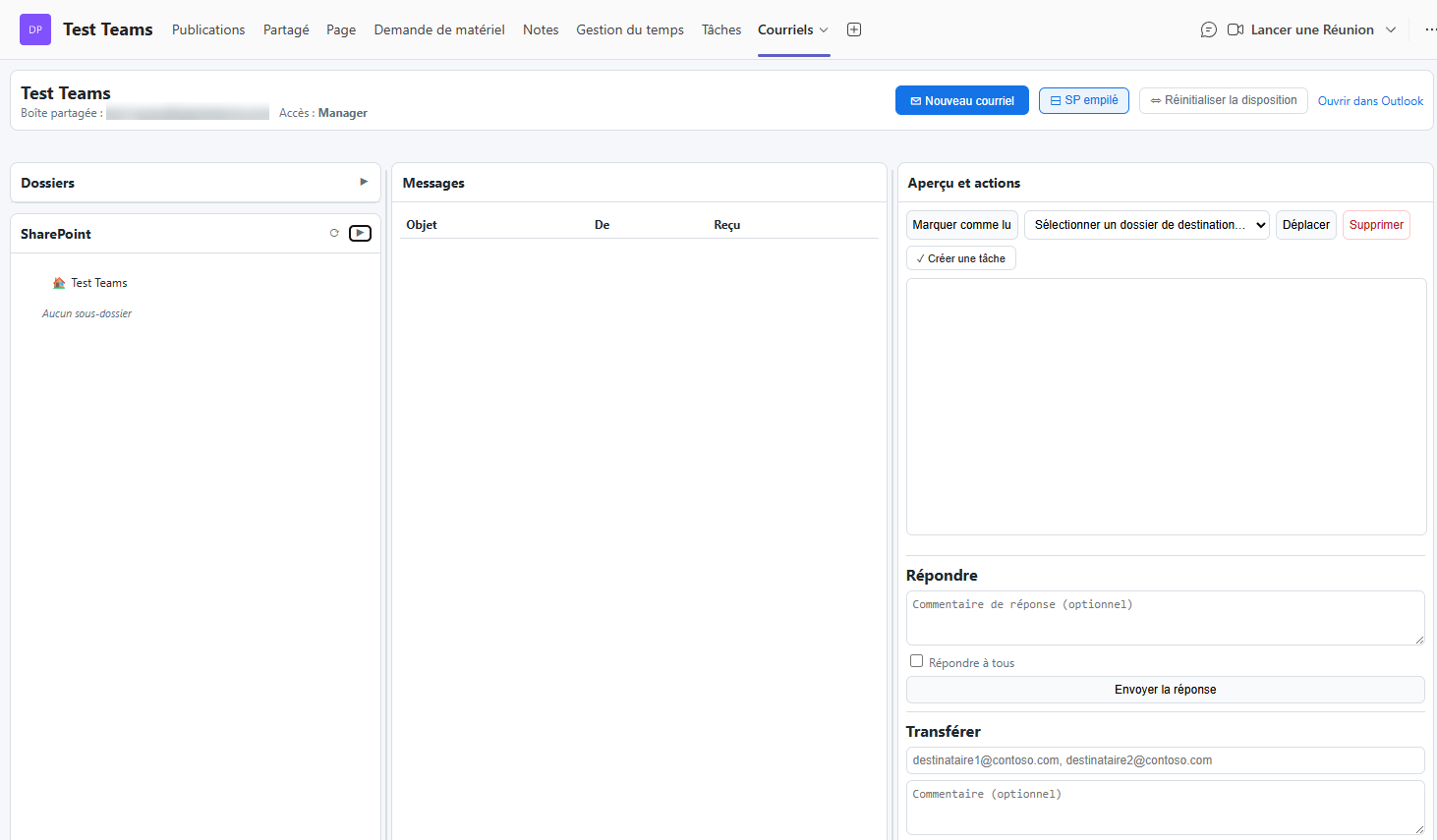
Project mailbox
A shared mailbox per project brings all communications together in one place. From the Teams channel: reply, forward, and file an email or attachment into the project's SharePoint folders or an Outlook folder.
Everything falls into place automatically.
For these tabs to make sense, the connector orchestrates Microsoft 365 in the background, with no manual intervention. When an ERPNext project is created:
- A Microsoft Teams team and channel are provisioned for the project.
- A Planner plan is created; the project's tasks sync both ways, including notes and comments.
- A SharePoint folder tree is set up with the right permissions.
- Tasks assigned to each person appear in their personal Microsoft To Do.
- Time spent in an Outlook meeting can become a timesheet in one click.
Your teams work in Teams; ERPNext remains the source of truth — with no double entry.
Reliable, always up to date, and at home.
Always up to date
A change on one side is quickly reflected on the other, automatically. No one has to re-enter information: Teams and ERPNext always tell the same story.
No duplicates
Your data stays clean: a task remains a task, a file remains a file. Even if a sync runs again, nothing gets duplicated.
Your data stays with you
Everything stays within your Microsoft environment and your ERPNext. No foreign platform in between: your information never leaves your premises.
That's ERPNext in the right hands. Does your current system do as much?
Diagnostic 45 minutes — voyez ce qui manque.
Un de nos architectes vous appelle, écoute votre situation, et vous remet par écrit les trois priorités que nous identifierions. Aucune obligation, synthèse en moins de 5 jours ouvrables.